


Bed Bath & Beyond
4.511.70K Reviews
App Specs
- Version
- 2026.8.0
- Updated On
- License
- Free
- Downloads
- 10,000,000+
- Developer
- Neighborhood Intelligence, Inc
- Categories
- Shopping
- Platform
- Android, iOS
Screenshots
 Analysis by AppCompare
When I’m planning a home purchase, I like to keep the decision and the shopping trip connected: compare what I need, check the details, then decide whether to buy online or in person. The Bed Bath & Beyond app is a free shopping app from Bed Bath & Beyond, Inc, built around that kind of home-focused browse-and-buy routine. It suits people who are furnishing a room, replacing everyday essentials, or simply keeping an eye out for useful household finds.
I wouldn’t treat it as a complete guide to decorating or a substitute for seeing every material in person. Its value is more practical: it brings product discovery, purchase planning, and order follow-up into one place. I’d use it when I already have a home need in mind and want a more organized way to work through it, rather than opening it with no idea what I’m shopping for.
Seamless Shopping Experience
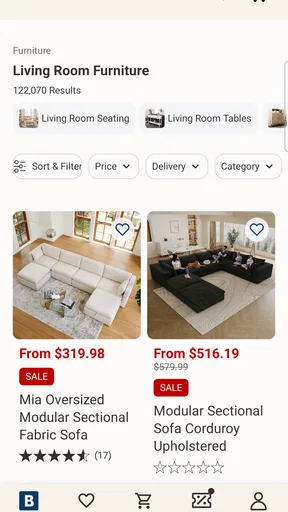
First things first, I have to say the user interface is pretty slick. The app is designed to be super intuitive, which means even if you're not the most tech-savvy person around, you’ll find your way just fine. From the moment you open it up, everything is neatly organized, and the search function is quick and efficient. Whether you're looking for a specific item or just browsing, the experience is smooth.
One feature I really appreciate is the ability to create personalized lists. You can easily add items to your wish list or shopping cart and keep track of what you need. It's like having a personal assistant for your shopping trips. Plus, the app saves your preferences, so the more you use it, the more tailored your experience becomes. Pretty neat, right?
A routine that keeps a household list useful
I get the most out of a shopping list when I make it before I’m standing in a store or ready to check out. I’d group needs by the room or task in my own notes, then use the app’s list to keep likely purchases together. That small bit of preparation helps me distinguish a true replacement—like something that has worn out—from an item I only like while browsing.
For a practical example, imagine I’m refreshing a guest room before someone visits. I can browse for the pieces I still need, save candidates while I compare them, and return to the list when I’ve checked the room’s dimensions and color scheme. The useful habit is to treat saved items as options, not as a commitment to buy. It reduces impulse decisions and makes it easier to notice when an item doesn’t fit the room after all.
That workflow also answers a common question: can I use the app just to plan, without buying immediately? A wish list is useful for exactly that kind of pause. I can collect ideas first, then revisit them when I’m ready to make a decision. I’d still check the current product details before purchasing, since a saved choice is only a reminder, not a guarantee that every detail remains the same.
Worth Reading Before You Choose

Flipboard Shows What News Apps Must Do Beyond the Feed

Switching to Android Auto Means Rethinking Your Driving Routine

Google Calendar Makes a Crowded Week Easier to Manage

Ludo King Makes the Most of the Minutes Between Plans

Baby Panda World Brings Quick Play to Modern Phones, but Its Game Library Feels Busy

ESPN’s Live Game View Makes Following Close Games Easier
Settings and deal alerts worth checking
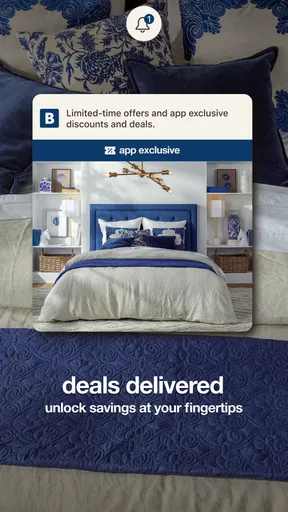
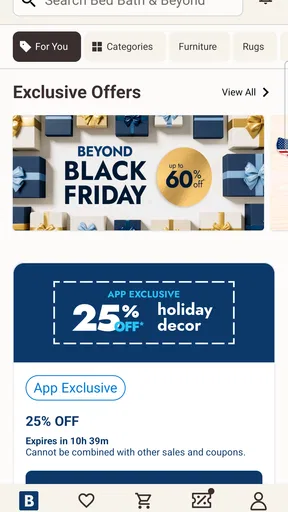
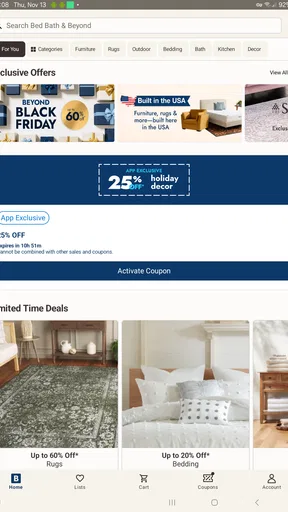
If you're anything like me, you love snagging a good deal. The Bed Bath & Beyond app doesn’t disappoint in this department. You get access to exclusive app-only offers and promotions. I'm talking about everything from discounts to early access sales. It's like having a secret shopping club right on your phone.
They also send alerts for upcoming sales and deals, so you’re always in the loop. I’ve saved a decent amount over the months just by keeping an eye on these offers. And let's be honest, who doesn't love saving a few bucks?
I’d make a deliberate choice about alerts rather than allowing every notification to interrupt the day. If sale reminders are genuinely useful to you, they can prompt a timely look at a planned purchase. If you’re not shopping for anything in particular, frequent deal messages can make browsing feel urgent when it isn’t. My approach is to decide what I need first, then see whether an offer makes that purchase more attractive—not to let a discount create a need.
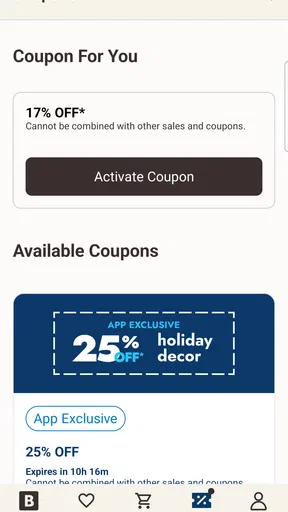
Before relying on a promotion, I’d read its terms in the app and check that it applies to the item I actually want. A deal is only helpful when the product, timing, and conditions work for your situation. This is especially worth doing when comparing several options: a lower displayed price doesn’t settle whether an item suits the room, the intended use, or the budget once the full order is considered.
Faster patterns for an in-store visit
One of the coolest features has to be the scan and purchase option. If you’re in a store and see something you like, you can scan it with the app and purchase it directly. No more waiting in long lines or dealing with crowded aisles. Just scan, pay, and you're good to go. It’s a huge time-saver, especially during busy shopping seasons.
This feature also allows you to check the availability of items in other stores or online. So, if your local store is out of stock, you can easily find where else it's available. It’s all about convenience, and this app really nails it.
For a smoother trip, I’d open the app before heading out, sign in if needed, and keep my shopping list ready. In store, scanning is most useful when I’ve already found a specific product and want to move from identifying it to checking the purchase options. It can also help me avoid carrying an item around while I decide, although I’d still verify the product name and details on screen before completing anything.
The stock check is a useful bridge between browsing online and shopping in person. If an item isn’t available at the location I’m visiting, checking other store or online availability gives me a next step instead of a wasted trip. I wouldn’t assume that availability information means an item is reserved, though; if getting it that day matters, I’d confirm the current options before travelling or changing plans.
Product research, order follow-up, and the trade-offs
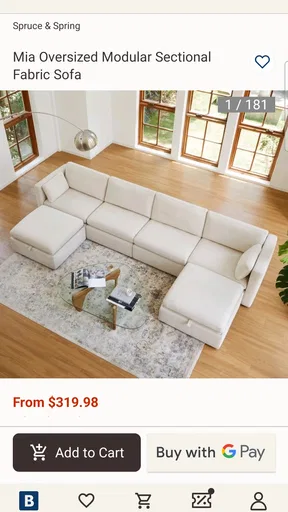
Making informed purchasing decisions is crucial, and the app helps with that too. You can read customer reviews and ratings on products before buying. It's like getting advice from a friend who’s already tried the item. I always find reviews super helpful, especially when trying out new products.
Plus, you can leave your own reviews, which helps others in the community. It’s a great way to contribute and help fellow shoppers make the right choices. Sharing experiences is what makes shopping apps like this so valuable.
I use reviews as one source of evidence rather than a final verdict. For home goods, I look for comments that relate to how I’ll use an item: whether people describe its feel, fit, assembly, or day-to-day practicality when those details are relevant to the product. A short positive rating is less helpful than a specific account that matches my needs. I also compare comments rather than letting one unusually enthusiastic or disappointed review decide the purchase.
That is where this app differs from a general online marketplace or a broad search engine. Those alternatives can be better when I want the widest possible range of sellers or a cross-store comparison in one place. Here, the advantage is keeping home-related product browsing, lists, in-store scanning, and shopping follow-up within the same retailer’s experience. If I’m still exploring brands and prices across the whole market, I’d use a broader comparison option as well.
Once you've made a purchase, keeping track of your order is easy-peasy. The app provides real-time updates on your order status, from processing to shipping and delivery. You're never left wondering where your package is. And if you ever need to return something, the process is straightforward and hassle-free.
Returns can be initiated directly through the app, and you get clear instructions on how to proceed. It's reassuring to know that if something doesn't work out, you have a simple way to handle it.
For a larger household purchase, I’d keep the order details handy and use the tracking view to plan around delivery rather than repeatedly checking for changes without a reason. If an item doesn’t work out, starting with the return instructions in the app gives me a clear place to begin. I would still read the instructions for that specific order carefully; a digital route makes the process easier to find, but it doesn’t remove the need to follow the steps shown for the purchase.
Where it fits—and where another approach is better
The app has a 4.5 average from around 98,000 ratings, and it has been installed over 5 million times. It is rated for Everyone, and its current version is 2026.5.2, with Android 8.1 as the minimum operating system requirement. Those details make it easy to judge whether it fits your device and whether a large number of shoppers have tried it, but they don’t tell me whether a particular product is right for my home.
I’d recommend it most to people who already shop for household goods at Bed Bath & Beyond and want a convenient way to plan, browse, and manage purchases. It is also a sensible choice for someone who prefers to inspect an item in store but wants digital help with scanning or checking availability. The free price makes trying its shopping workflow straightforward, especially if you have a specific home project coming up.
I’d be less likely to rely on it as my only shopping tool if I’m choosing between many retailers, need to compare a broad range of brands, or want to judge texture, color, or scale by touch and sight before deciding. A store visit is still better for that kind of confidence, while a wider shopping platform may be more useful for market-wide comparisons. The app is strongest when its retailer-specific tools match the way I already want to shop.
The developer is Bed Bath & Beyond, Inc, and the app has been available since February 16, 2010. That long-running presence and its steady shopping focus make it feel like a dedicated companion to the retailer rather than a general-purpose home planner. For me, the right expectation is simple: use it to organize a purchase and make the path from product discovery to follow-up less scattered, not to replace careful measuring, comparison, or judgment.
Overall, the Bed Bath & Beyond app is a must-have for anyone who enjoys a streamlined shopping experience with added perks. From exclusive deals to easy order management, it covers all the bases. So, whether you're at home or on the go, this app has got you covered. Happy shopping!
Pros
- User-friendly interface for easy navigation.
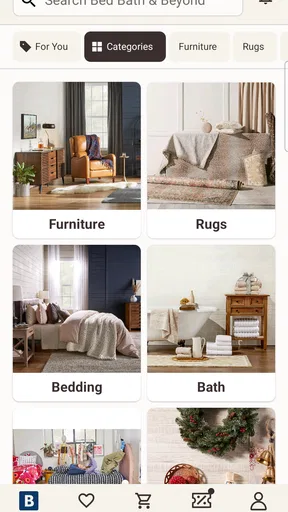
- Wide range of home goods and decor.
- Regular updates with new deals and discounts.
- Convenient online shopping experience.
- Loyalty rewards program for frequent shoppers.
Cons
- Limited payment options available.
- Occasional app crashes reported.
- Shipping can be slow at times.
- Product availability varies by region.
- Some features require account creation.
FAQs for Bed Bath & Beyond
What features does the Bed Bath & Beyond app offer?
The Bed Bath & Beyond app provides a range of features designed to enhance your shopping experience. Users can browse a vast catalog of home goods, create and manage gift registries, and access exclusive offers and discounts. The app also includes a barcode scanner for easy price comparison and the option to check product availability at your nearest store.
Can I use Bed Bath & Beyond coupons through the app?
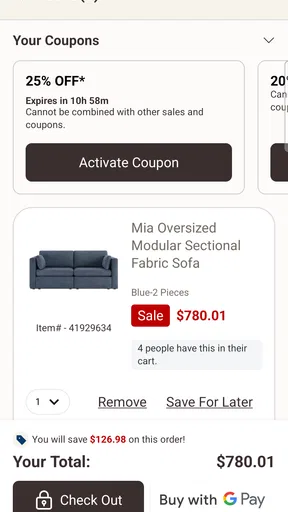
Yes, you can use Bed Bath & Beyond coupons directly through the app. Users can access digital coupons and apply them at checkout for online purchases or show them in-store for discounts. The app also features a coupon wallet to keep track of your savings and ensure you never miss a deal.
Is the Bed Bath & Beyond app available for both Android and iOS?
The Bed Bath & Beyond app is available on both Android and iOS platforms. Users can download it from the Google Play Store for Android devices and the Apple App Store for iOS devices. The app is regularly updated to improve functionality and user experience across both operating systems.
How does the app enhance in-store shopping?
The Bed Bath & Beyond app enhances in-store shopping by providing features like the barcode scanner, which allows users to quickly access product information and reviews. It also offers store maps and inventory checks to ensure the items you want are available before you visit. Additionally, users can access exclusive in-store discounts.
Are there any privacy concerns with using the app?
The Bed Bath & Beyond app prioritizes user privacy by employing robust security measures to protect personal information. It requires access to certain permissions for optimal functionality, such as location services for store availability. Users can review and manage these permissions in their device settings to ensure their privacy preferences are met.


